The player
Built for the review, not just the view.
The Impartire player is the front of the asset record. Step frames, set in and out points, leave timecoded comments, and follow the transcript, on the proxy, in the browser. What you approve here is the same file the readiness matrix checks and the schedule airs.
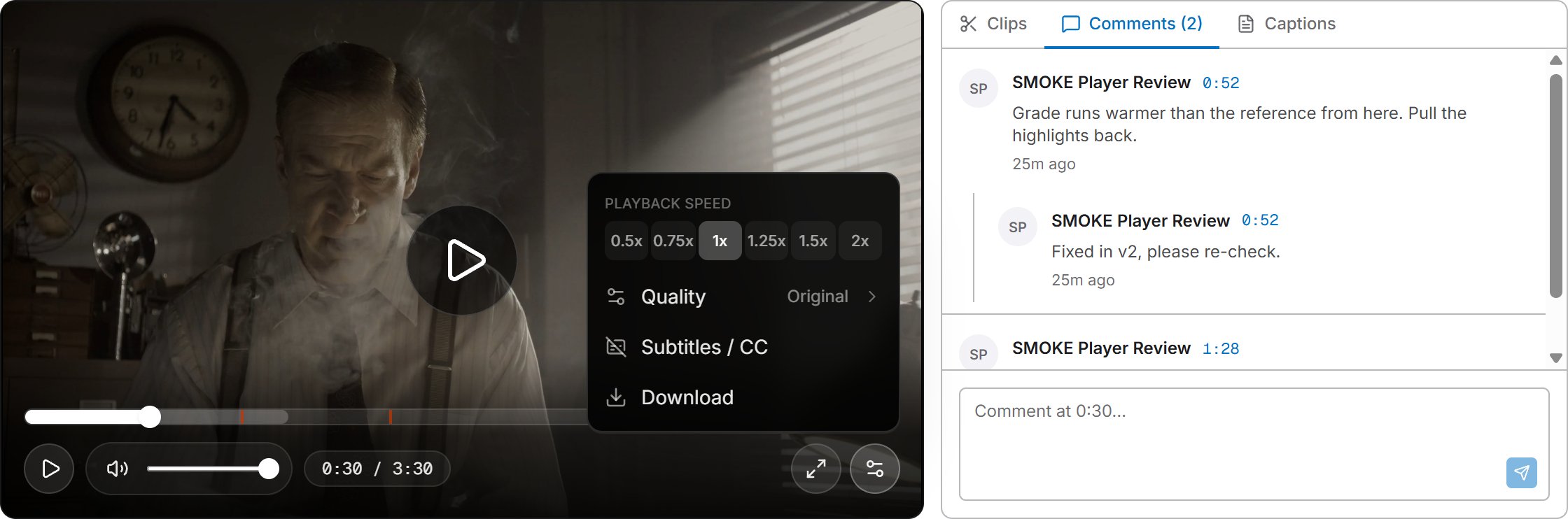
Frame-accurate marks
Step a frame at a time with , and .. Start a clip from the Clips panel, then mark in and out with I and O or drag a range on the timeline. Up to three clips per asset, each promotable to a sequence.
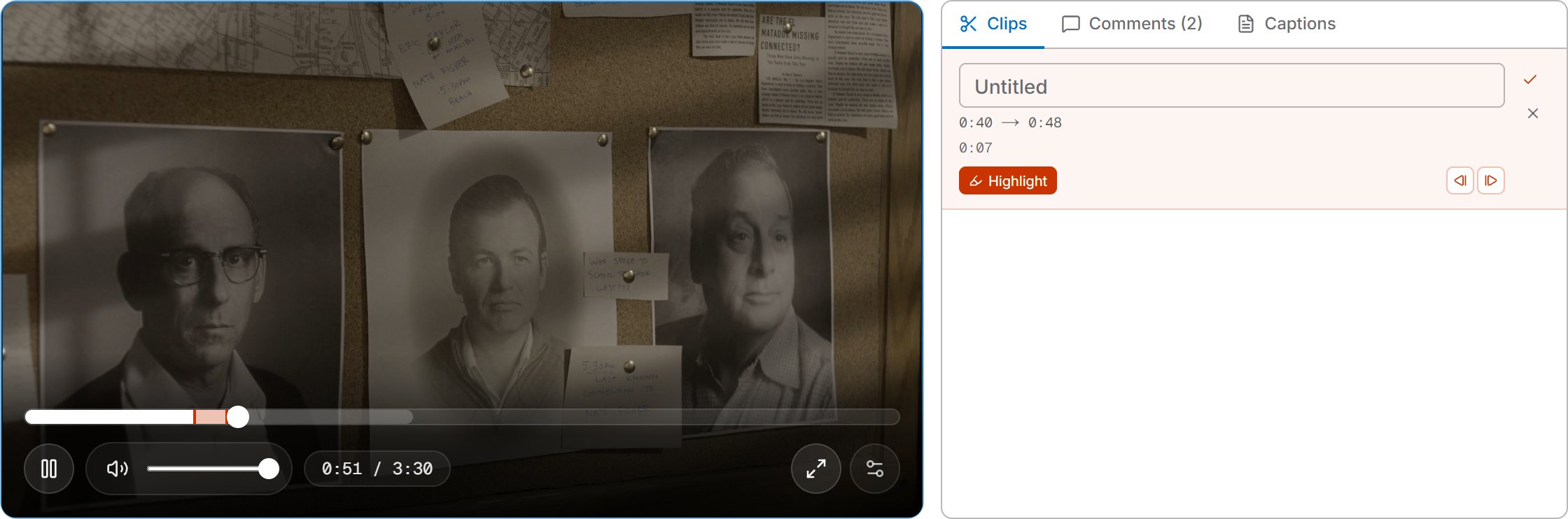
Review in place
Comments pin to a timecode and thread one level deep. Resolve them when they are dealt with. A comment with a timecode is a marker on the timeline, and clicking it seeks there. Notes live on the asset, next to its lineage and its spec verdicts, not in a separate review tool.
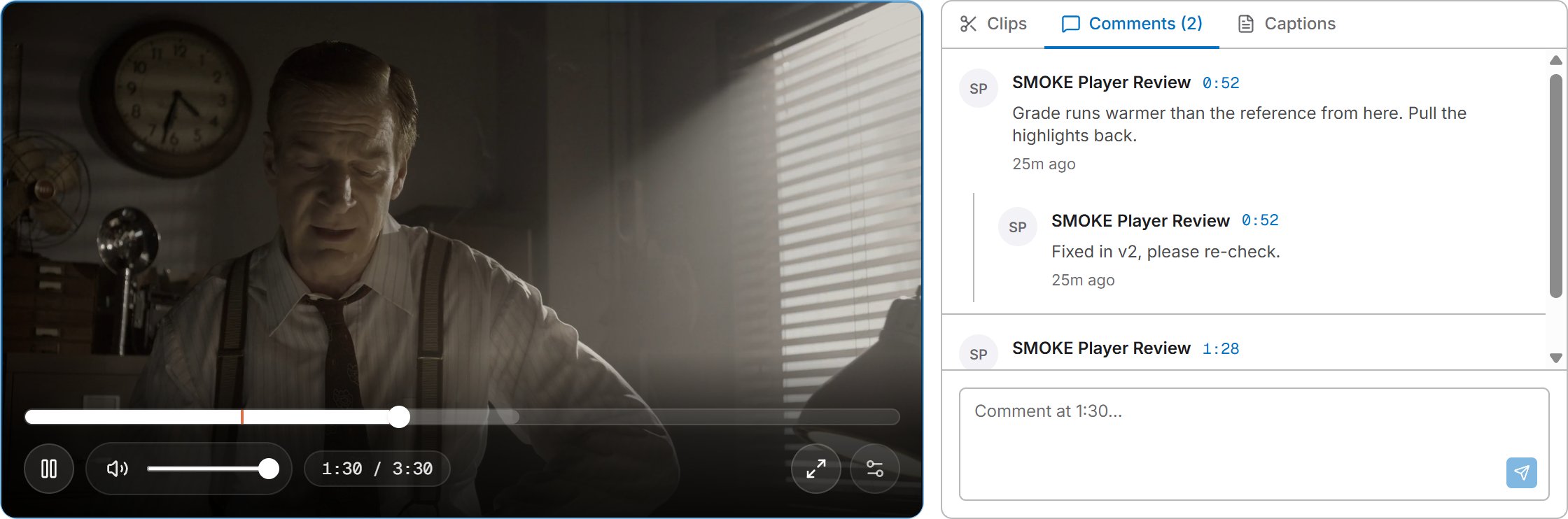
Captions and transcript
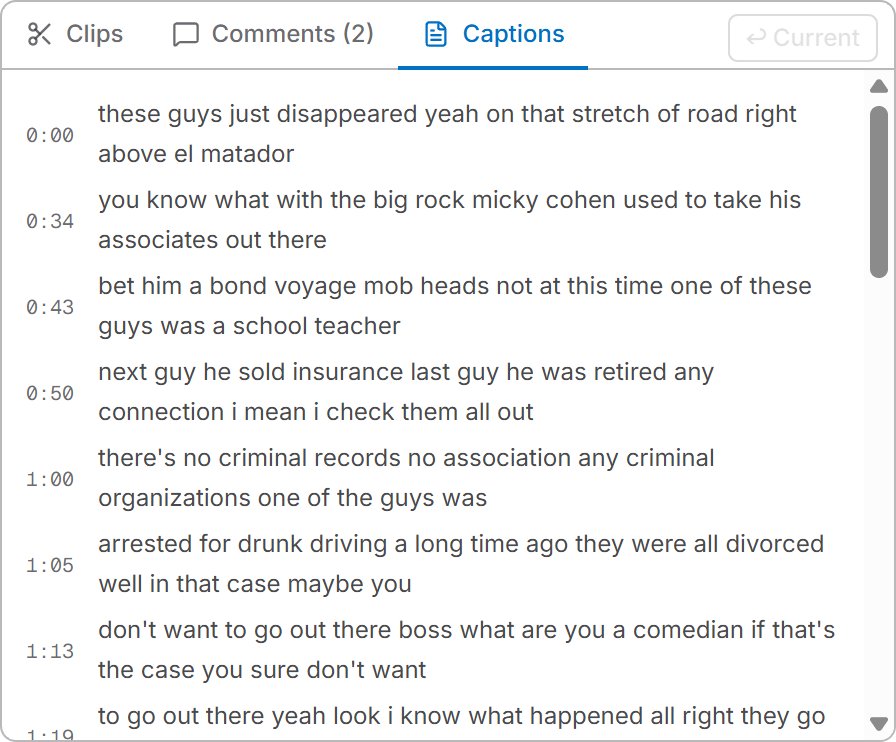
Upload WebVTT, or let the Generate captions workflow transcribe the file. Cues lift out of the way of the controls. The transcript panel follows playback and any line seeks the player to it.
Share on a leash
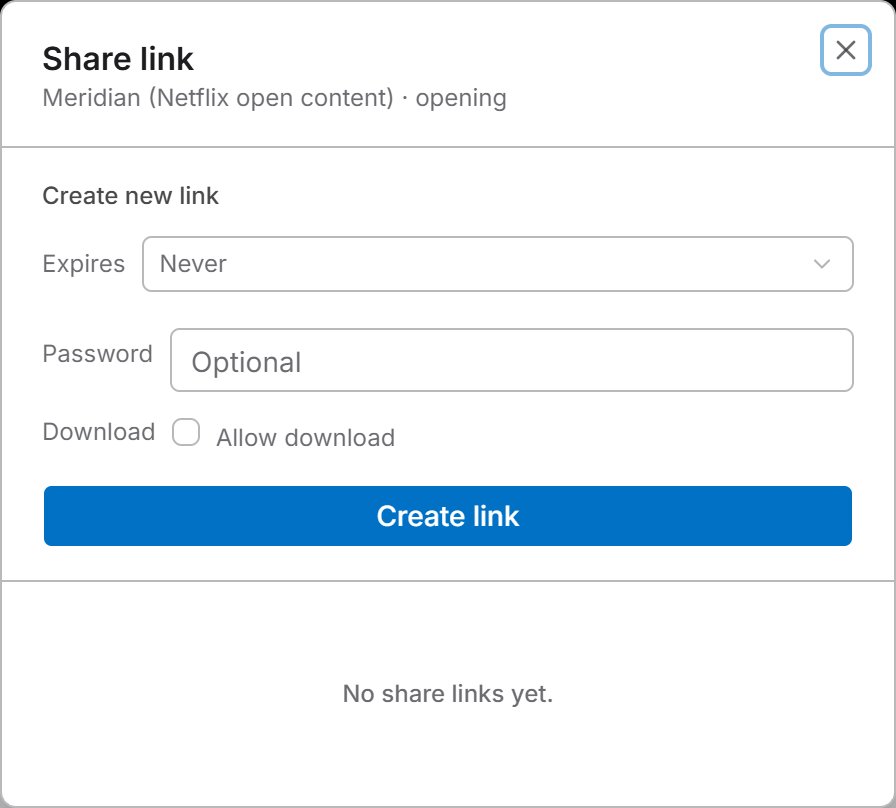
A share link carries an expiry, an optional password, a download switch, and can be pinned to a clip range. The link is the authorization, and the file URL behind it is re-signed on every view, so revoking the link is the whole story.
How it compares.
| Capability | Impartire | Zype | JW Player | Vimeo |
|---|---|---|---|---|
| Adaptive HLS | ||||
| Timeline thumbnails | ||||
| Playback speed 0.5× to 2× | ||||
| Caption support | ||||
| Signed media URLs | ||||
| Embeddable player | ||||
| Playback analytics | ||||
| DRM | ||||
| Frame stepping | ||||
| Subclipping | ||||
| Timecoded review comments | ||||
| ABR transcoding | ||||
| Transcription | ||||
| Transcript seek | ||||
| Expiring, password-protected share links | ||||
| Versioning | ||||
| Mezzanine cold storage | ||||
| Proxy generation | ||||
| Typed custom metadata | ||||
| Loudness compliance (EBU R128, ATSC A/85) | ||||
| Black, freeze, and silence detection | ||||
| Broadcast spec conformance | ||||
Scroll the table sideways for the other columns.
Competitor columns compiled from public documentation, September 2026.
Review where the record lives.
Bring one project and its share links over.